
How to Enable Auto-Conversion After a Claim Is Submitted?
When an employee submits a claim, the system checks whether the claimed currency matches the currency of the employee’s hiring country.
If the currencies are different, the system automatically triggers the auto-conversion process, so the approver can be worry free to approve the claim in the currency staff should be paid in.
Steps to Enable Auto-Conversion:-
Step 1:
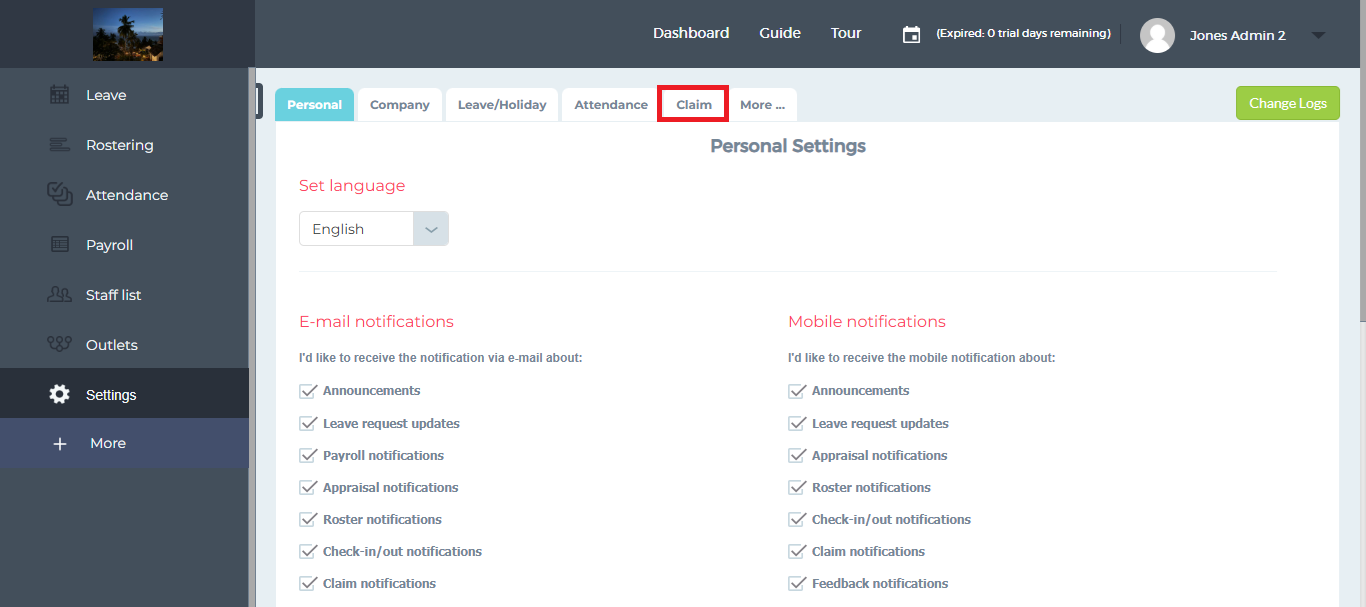
Go to “Settings”.

Step 2:
Click on the “Claim” tab.
Step 3:
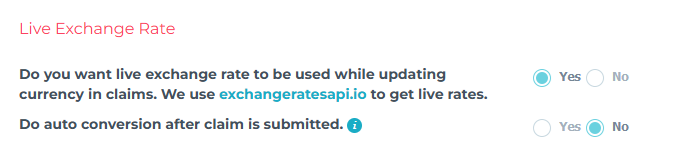
Scroll down to the “Live Exchange Rate” section.
Step 4:
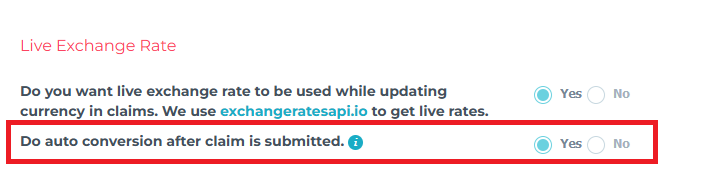
Enable “Do auto conversion after claim is submitted”.
Step 5:
Click on the “Save” button.