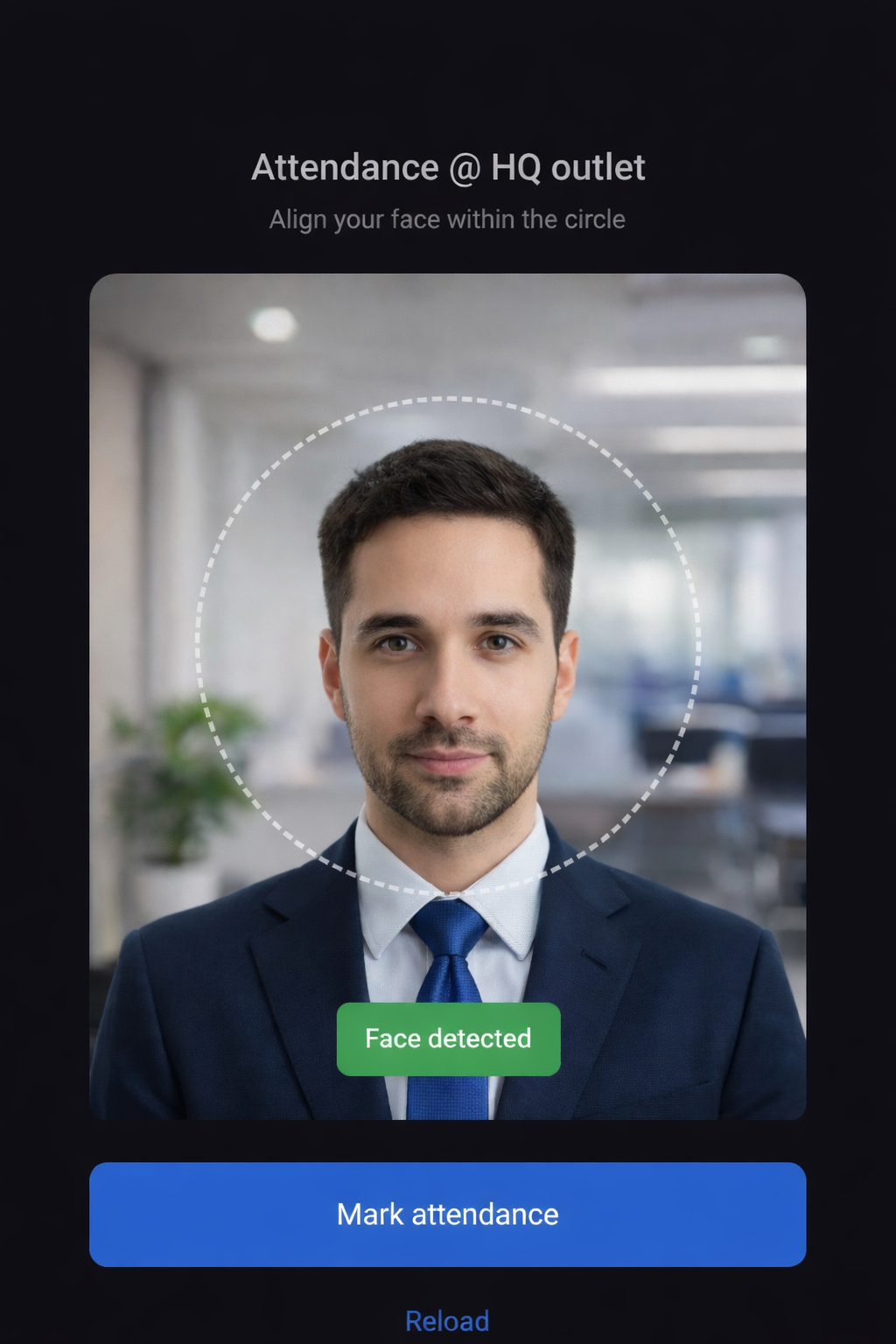
Smart Face-Based Attendance. No Devices. No Hassle.
Upgrade to device-free biometric attendance with the Carbonate Face Recognition Attendance System. No additional biometric machines are required—simply use a mobile phone or tablet to mark attendance using secure face recognition technology. Reduce operational costs, prevent proxy attendance, and ensure accurate real-time check-ins and check-outs with a fast, contactless, and reliable solution.
One-Time Face Registration. Effortless Every Day.
Employees register their face just once. After registration, attendance can be recorded with face scan every day. The system is simple, secure, and reliable, with no manual effort, no repeated setup, and no dependency on physical devices.
How the Face Recognition Attendance System Works:-
Step 1
Go to Staff List → Face Scan Profiles.
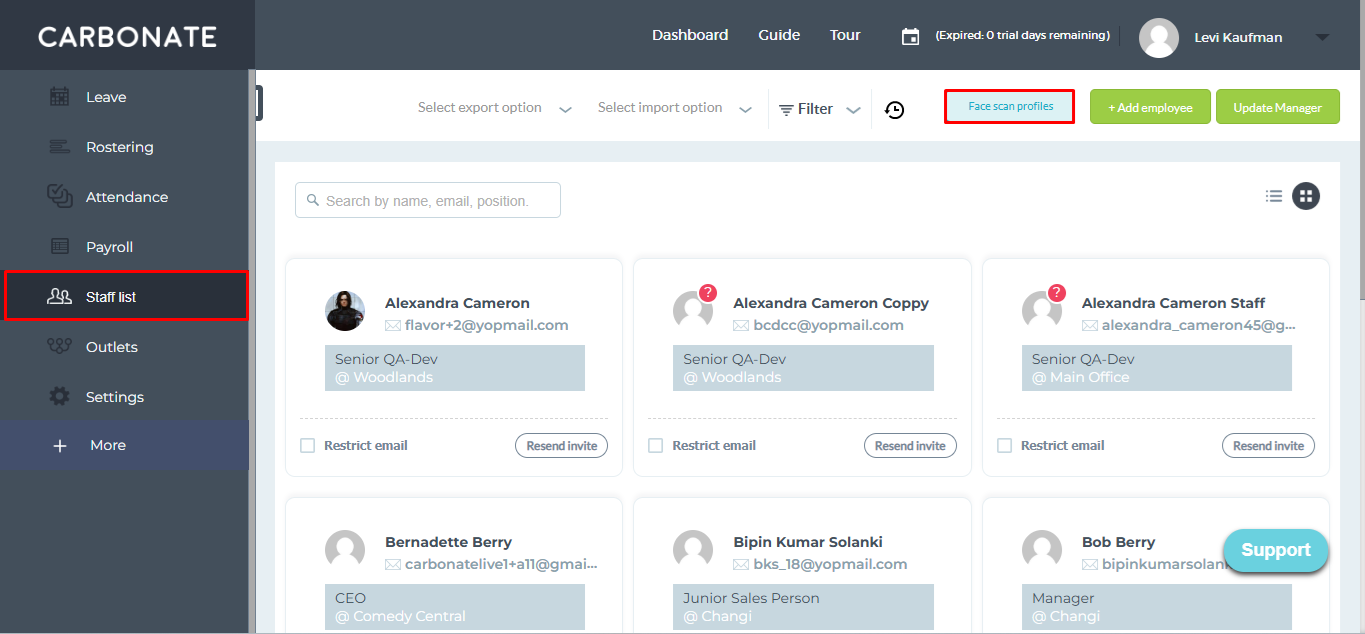
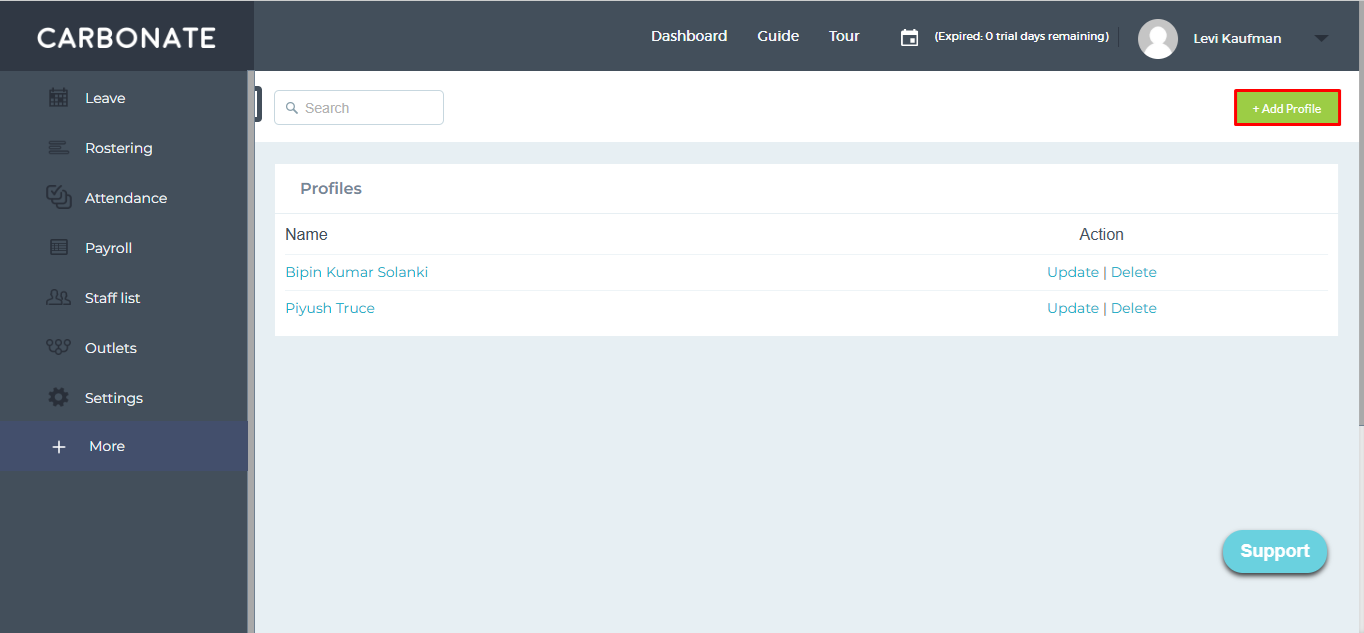
Click Add Profile.
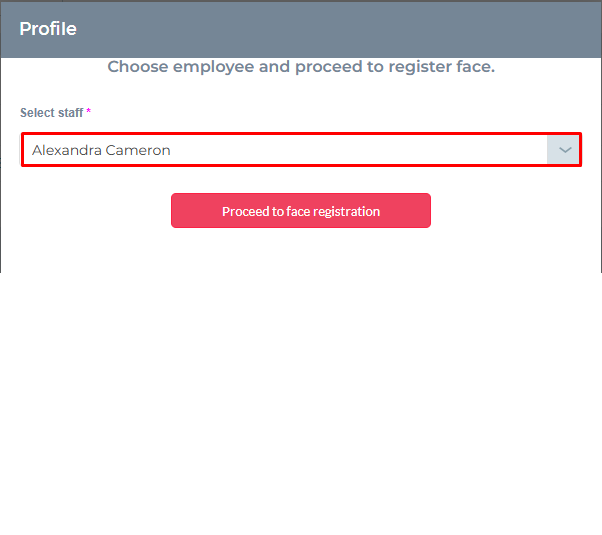
Select employees and click Proceed to Face Registration.
Align the employee’s face in the camera frame and click Register Face.
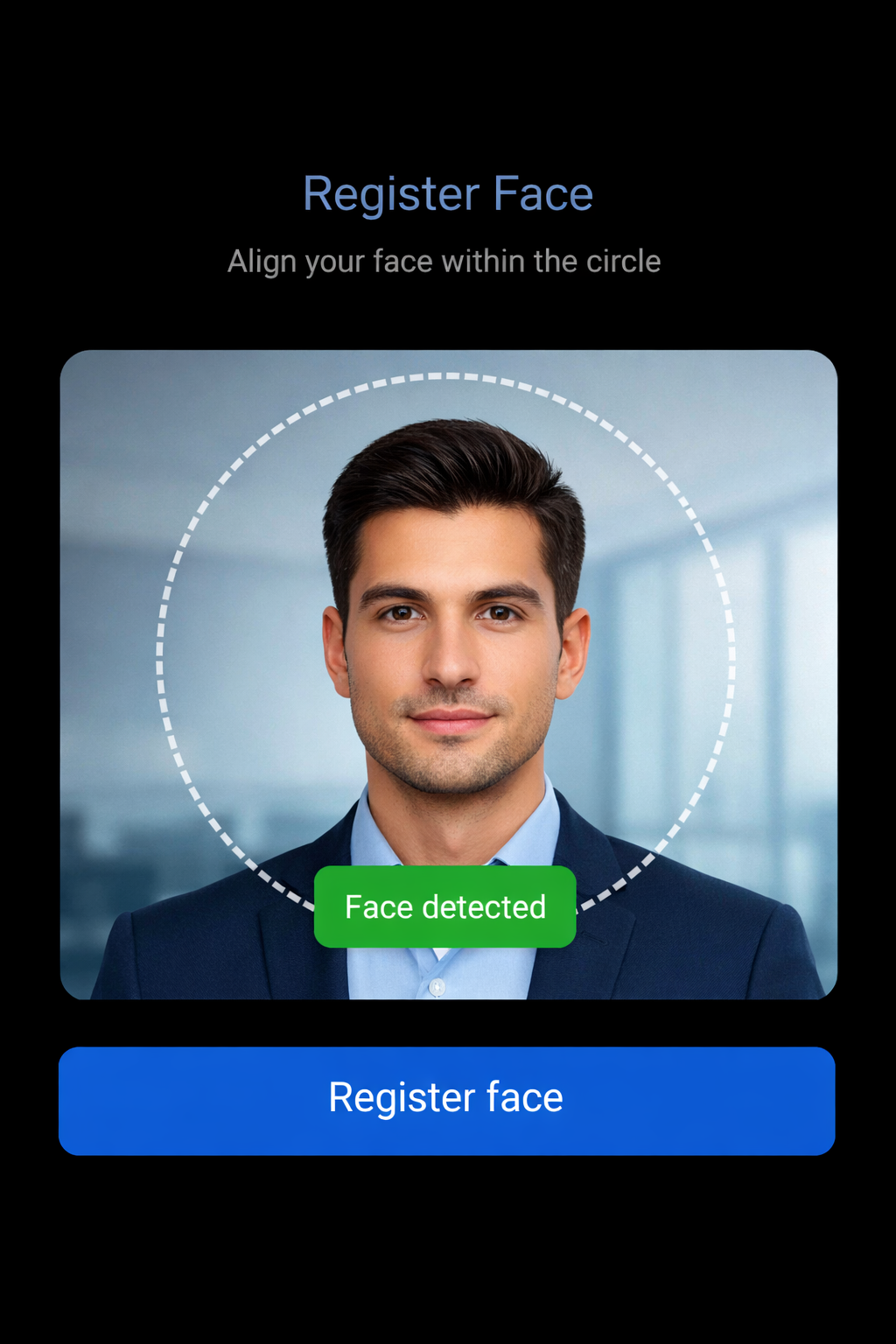
After successful registration, employee name will appear in the registered profiles listing.

Use Update to edit face profiles or Delete to remove them anytime.

Step 1
Go to the Outlet section.
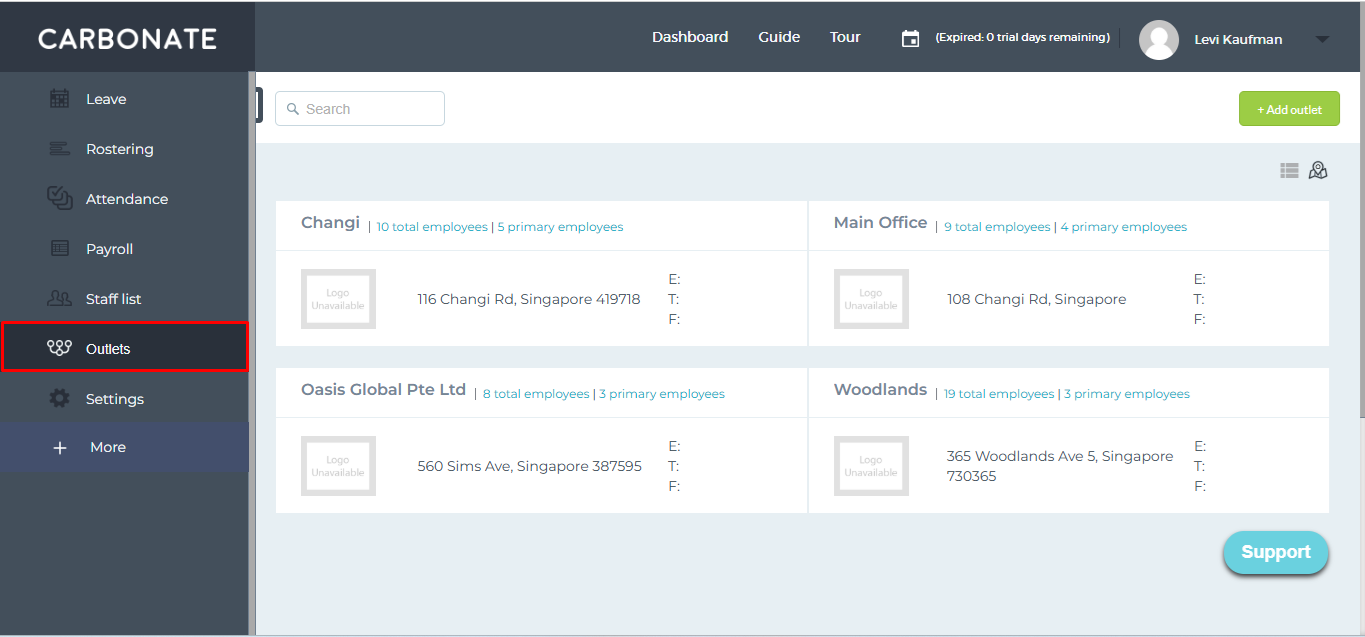
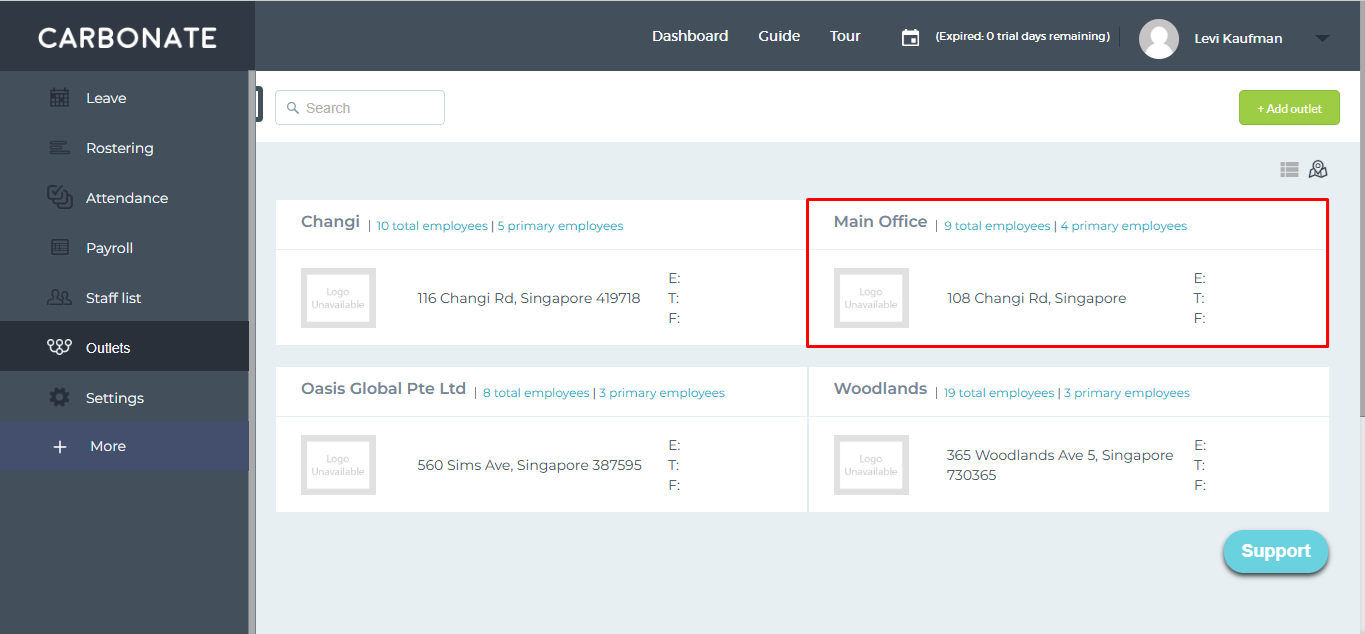
Select the outlet under which attendance will be marked.
Scroll to Attendance Kiosk Setup and click Generate Kiosk Link.
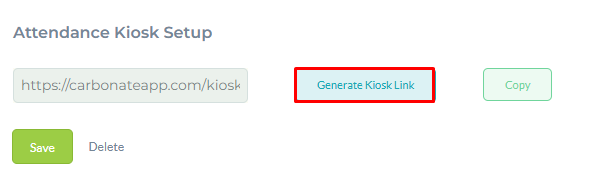
Copy the link and open it on the mobile phone or tablet browser used for attendance.
Note: The kiosk link is active only on one device at a time. To use it on another device, the active session must be closed first, and you must wait 45 seconds for the link to reactivate.