How to Auto-Assign Handbooks to New Users?
The Auto-Assign Handbook feature automatically assigns selected handbooks to all newly joined users, ensuring they receive important documents without manual intervention.
Steps to Enable Auto-Assignment:
Step 1:
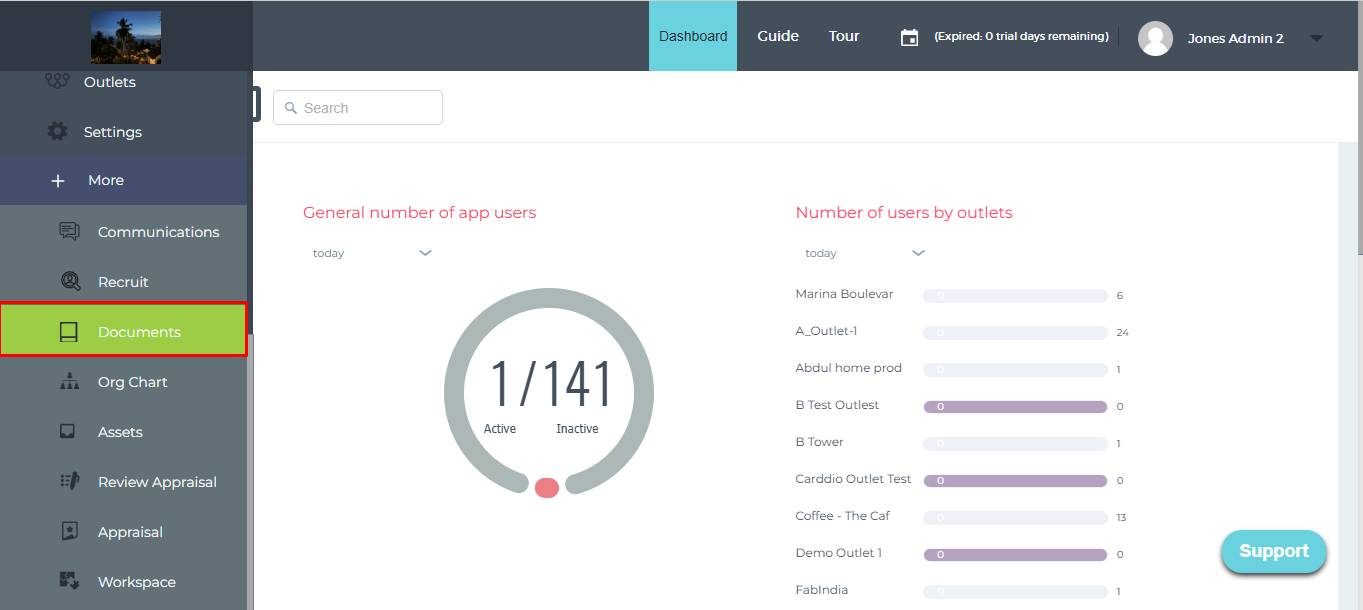
Go to the “Documents” section.
Step 2:
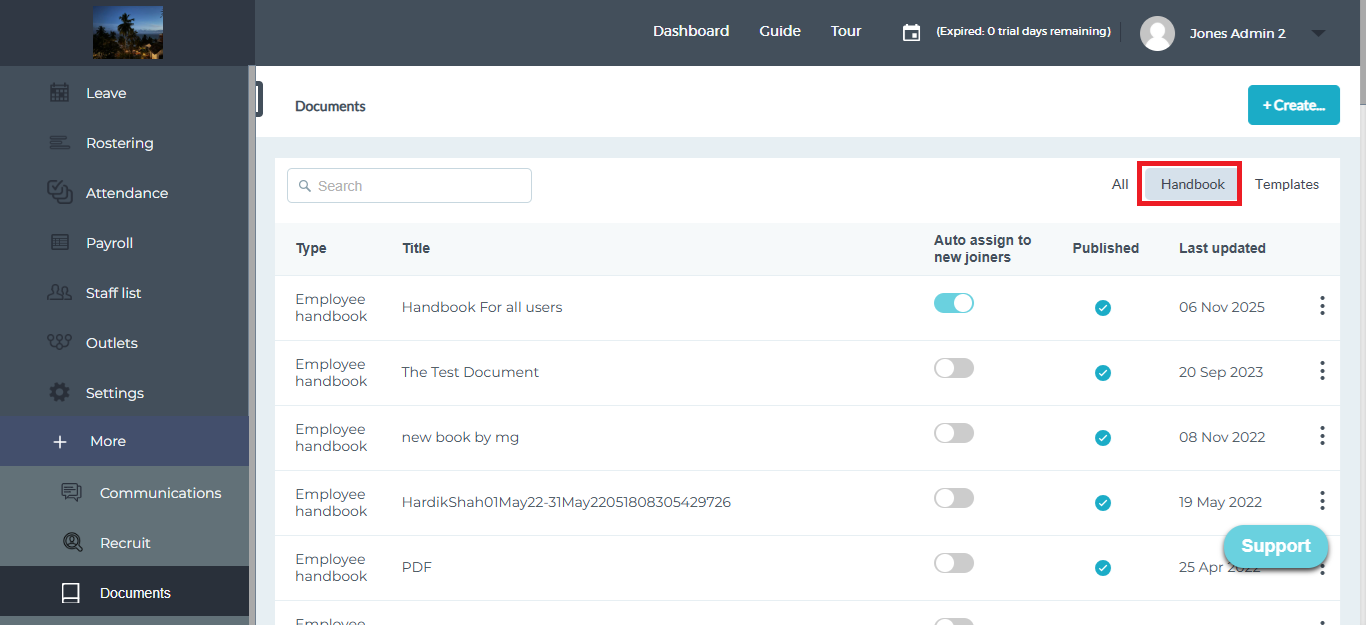
Click on the “Handbook” tab.
Step 3:
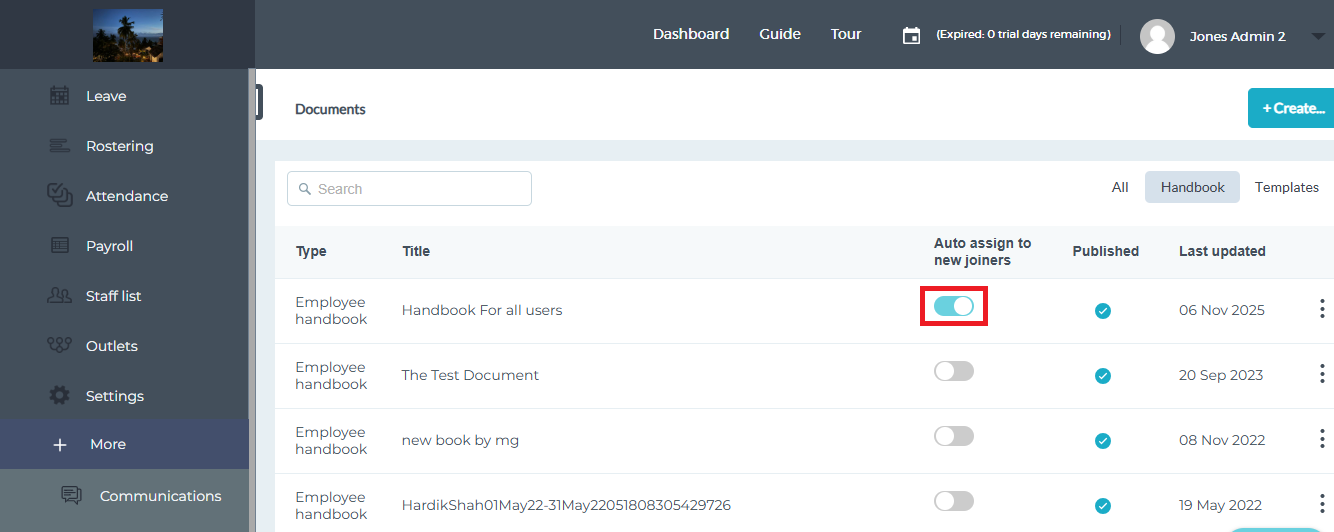
Enable the toggle button for the handbook you want to auto-assign to new joiners.
Step 4 (Optional):
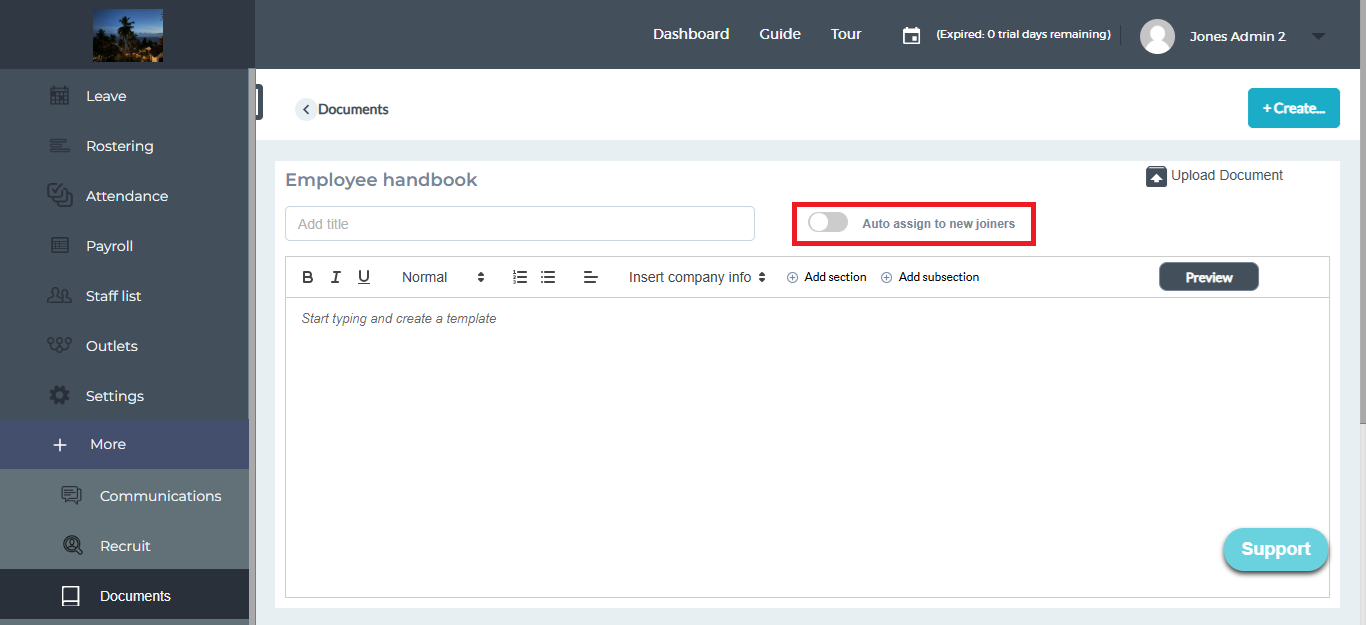
You can also enable this option while creating a new handbook.
Once enabled, the selected handbook will be automatically assigned to every new user added to the system.